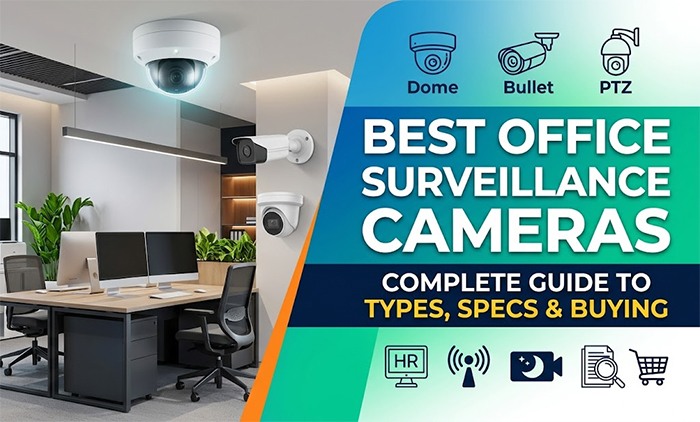
Best Office Surveillance Cameras: Complete Guide to Types, Specs & Buying
 Posted on April 14, 2026
In today's competitive business environment, office security has become a non-negotiable priority. Whether you're protecting valuable assets, monitoring employee productivity, or ensuring workplace safety, choosing the right office surveillance camera system is crucial. With countless options available in the market, understanding the differences between camera types, specifications, and features can feel overwhelming.
This comprehensive guide walks you through everything you need to know about selecting the best office surveillance cameras for your specific needs. From basic camera types to advanced specifications and buying considerations, we'll help you make an informed decision that maximizes security while fitting your budget.
Why Office Surveillance Matters
Office surveillance cameras serve multiple critical purposes:
Security and Crime Prevention: Surveillance cameras act as a powerful deterrent against theft, vandalism, and unauthorized access. They provide real-time monitoring and recorded evidence that can be invaluable in investigations.
Employee Safety: Security cameras help create a safer workplace environment by discouraging violent behaviour and providing documentation in case of workplace incidents.
Liability Protection: Video evidence protects your business from false claims and lawsuits by providing objective documentation of events.
Productivity Monitoring: Discreet surveillance helps monitor employee productivity and ensures compliance with company policies in common areas.
Operational Efficiency: Cameras in warehouses and storage areas help optimize operations and track inventory movement.
According to industry reports, businesses with surveillance systems experience 50% fewer break-ins and theft incidents. With these compelling reasons, investing in a quality office surveillance camera system is essential for modern businesses.
Types of Office Surveillance Cameras
1. Dome Cameras
Dome cameras are among the most popular office surveillance solutions. Housed in a dome-shaped protective casing, these cameras offer:
- Design: Compact, discreet, and aesthetically pleasing
- Coverage: 360-degree coverage in panoramic models
- Durability: Protected from tampering and physical damage
- Installation: Can be mounted on ceilings or walls
- Best for: Office lobbies, reception areas, and retail spaces
2. Bullet Cameras
Bullet cameras are long, cylindrical cameras that look like traditional surveillance equipment.
- Design: Highly visible, strong deterrent factor
- Coverage: Narrow, focused field of view
- Durability: Weatherproof, suitable for indoor and outdoor use
- Installation: Wall-mounted, prominent placement
- Best for: Perimeter monitoring, entrances, and outdoor areas
3. Turret Cameras
Turret cameras combine the benefits of dome and bullet cameras with a rounded design.
- Design: Modern, compact appearance
- Coverage: 360-degree rotation capabilities
- Durability: Tamper-resistant with protective housing
- Installation: Flexible mounting options
- Best for: Open office spaces, hallways, and warehouses
4. PTZ (Pan-Tilt-Zoom) Cameras
Pan-Tilt-Zoom cameras offer dynamic surveillance capabilities.
- Design: Professional appearance with motorized movement
- Coverage: Can cover large areas with remote control
- Durability: 30x to 360x zoom capabilities
- Installation: Remote operation via software or joystick
- Best for: Large offices, conference centers, and monitoring extensive areas
5. Fisheye Cameras
Fisheye cameras provide ultra-wide viewing angles.
- Design: Compact, single-lens solution
- Coverage: Up to 360-degree panoramic view
- Durability: De-warping technology for clear viewing
- Installation: Ceiling-mounted for complete area coverage
- Best for: Covering large open spaces with one camera
6. Covert/Hidden Cameras
Discreet cameras designed for undercover surveillance.
- Design: Disguised as everyday objects (clocks, smoke detectors, pens)
- Coverage: Limited field of view
- Durability: Employee monitoring, theft prevention
- Installation: Must comply with privacy laws
- Best for: Loss prevention and internal investigations
Essential Camera Specifications
Resolution and Video Quality
Megapixels (MP): Determines image clarity and ability to identify details.
- 1MP: Basic surveillance, not recommended for offices
- 2-4MP: Standard office surveillance, good for identifying individuals
- 5-8MP: High-definition, excellent for detailed identification
- 12MP+: Ultra HD, ideal for large areas requiring maximum detail
For most office environments, 2-4MP cameras provide an excellent balance between quality and storage requirements.
Frame Rate (FPS)
Frame rate measures how many images the camera captures per second.
- 24-30 FPS: Smooth video playback, standard for offices
- 60 FPS: Better for monitoring movement and fast action
- Higher FPS: Requires more storage and bandwidth
Field of View (FOV)
Determines the area the camera can see.
- Wide angle (90-120°): Covers larger areas
- Standard (50-70°): Typical for hallways and rooms
- Narrow angle (less than 50°): Long-distance monitoring
Sensor Type
- CCD Sensors: Higher quality, better low-light performance (older technology)
- CMOS Sensors: More common, lower cost, good image quality (modern standard)
Light Sensitivity (Lux Rating)
Lower lux ratings indicate better low-light performance.
- 0.1 Lux: Excellent night vision
- 1-2 Lux: Good low-light performance
- 10+ Lux: Requires adequate lighting
Key Features to Consider
Night Vision Capability
Essential for 24/7 monitoring. Two types available:
Infrared (IR): Uses LED lights for black-and-white night vision, range typically 30-100 feet.
Thermal Imaging: Detects heat signatures, works in complete darkness, more expensive.
Motion Detection
Automatically triggers recording when movement is detected, reducing storage needs and enabling instant alerts.
Cloud Storage vs. Local Storage
Cloud: Accessible remotely, automatic backups, subscription-based
Local: One-time investment, faster access, requires on-site equipment
Two-Way Audio
Allows communication through the camera, useful for reception areas and emergency response.
Smart Analytics
Advanced features including:
- Person detection
- Vehicle detection
- Loitering alerts
- Line crossing detection
- Heat mapping
Weather Resistance
For outdoor cameras or exposed areas, look for IP67 or IP68 ratings ensuring dust and water resistance.
Integration Capabilities
Compatibility with existing systems:
- NVR/DVR systems
- Access control systems
- Alarm systems
- Mobile apps and remote viewing
Buying Guide: Step-by-Step
Step 1: Assess Your Security Needs
Evaluate your office layout, identifying:
- Blind spots and vulnerable areas
- High-value asset locations
- Entry and exit points
- Areas requiring 24/7 monitoring
- Budget constraints
Step 2: Determine Camera Locations
Create a site map marking optimal camera placements. Consider:
- Lighting conditions at each location
- Required coverage area
- Environmental factors (indoor/outdoor, humidity, temperature)
- Aesthetic considerations
Step 3: Choose Camera Types
Mix and match based on location requirements:
- Dome cameras for discreet monitoring
- Bullet cameras for visible deterrence
- PTZ cameras for large open areas
- Covert cameras for specific investigations
Step 4: Select Resolution and Specifications
Balance quality needs with storage and bandwidth:
- Identify areas requiring high-resolution footage
- Plan storage capacity accordingly
- Consider network bandwidth availability
Step 5: Evaluate Storage Solutions
Calculate storage needs:
- 1 hour of 4MP video ≈ 1-2 GB
- Plan for 30-90 days of continuous recording
- Decide between cloud and local storage
- Budget for backup systems
Step 6: Compare Brands and Models
Research reputable manufacturers:
- Read customer reviews and ratings
- Compare warranty periods
- Check technical support availability
- Verify compatibility with your infrastructure
Step 7: Plan Installation and Maintenance
Factor in:
- Professional installation costs ($100-$300 per camera)
- Ongoing maintenance requirements
- Software updates and support
- Periodic equipment replacement
Step 8: Consider Scalability
Choose systems allowing:
- Easy addition of new cameras
- Software upgrades
- Integration with future security measures
- Growing business needs
Best Practices for Installation
Optimal Camera Placement
Entrances and Exits: Position cameras at eye level facing the entry point to capture facial features clearly.
Hallways: Mount cameras at intersections and regular intervals (every 30-40 feet) to eliminate blind spots.
Parking Areas: Install high-mounted cameras for license plate capture and vehicle identification.
Server Rooms: Place cameras at doors with 360-degree coverage of equipment.
Stairwells: Use multiple cameras on different levels to ensure complete coverage.
Height and Angle Considerations
- Mount cameras 8-10 feet high for optimal viewing without obstruction
- Angle cameras downward at 30-45 degrees for facial recognition
- Avoid backlighting that creates silhouettes
- Position to minimize glare and reflections
Cable Management and Power
- Use conduit to protect cables from damage
- Keep cables away from water sources
- Install UPS (Uninterruptible Power Supply) for continued operation during outages
- Ensure adequate electrical outlets or plan for long cable runs
Testing and Optimization
- Test coverage from viewing software before finalizing placement
- Verify night vision effectiveness
- Check motion detection sensitivity
- Ensure proper image quality at all times of day
Conclusion
Selecting the best office surveillance camera system requires careful consideration of your specific security needs, budget constraints, and long-term goals. By understanding the different camera types available from discreet dome cameras to versatile PTZ systems you can create a comprehensive security infrastructure tailored to your office environment.
Key specifications like resolution, frame rate, and field of view directly impact your ability to identify individuals and respond to security incidents. Advanced features such as motion detection, night vision, and smart analytics add layers of protection while improving operational efficiency.
Following our step-by-step buying guide ensures you select the right combination of equipment and services. Whether you're a small startup requiring basic monitoring or a large enterprise needing sophisticated surveillance capabilities, investing in quality cameras and professional installation provides long-term value through theft prevention, liability protection, and peace of mind.
Remember, the most expensive system isn't always the best the ideal solution balances your specific security needs, available budget, and scalability requirements. Start by assessing your vulnerabilities, planning optimal camera placements, and choosing equipment that integrates seamlessly with your existing infrastructure.
By implementing a well-planned surveillance system today, you're not just protecting your office you're creating a safer, more secure environment for your employees and assets for years to come. Take the time to research your options, compare quotes from multiple vendors, and invest in a solution that truly serves your business needs.
FAQ (Frequently Asked Questions)
Q1: How Much Storage Do I Need?
A: Storage depends on resolution, frame rate, and retention requirements. A 4MP camera at 30 FPS generates approximately 1-2 GB per hour. For 30 days of continuous recording, plan for 800 GB to 1.5 TB per camera. Most offices use 90-day retention, requiring 2.4-4.5 TB per camera.
Q2: What's the Difference Between IP and Analog Cameras?
A: IP cameras transmit digital signals over networks, offering higher resolution, remote access, and better integration. Analog cameras use coaxial cables, require DVR systems, and provide lower resolution. IP cameras are the modern standard for office surveillance.
Q3: Can I Access Cameras Remotely?
A: Yes, most modern systems offer mobile apps and web access. Ensure your network supports the bandwidth required for remote viewing and that security protocols protect your footage.
Q4: What Are Privacy Concerns with Office Cameras?
A: Always comply with local privacy laws. Generally, monitoring common areas is acceptable, but employee bathrooms, locker rooms, and private offices require disclosure and consent. Inform employees about surveillance policies.
Q5: How Long Should I Keep Recorded Footage?
A: Most businesses retain footage for 30-90 days. Check local regulations, as some industries require longer retention. Balance legal requirements with storage costs.
Q6: What's the Average Lifespan of a Surveillance Camera?
A: Quality cameras typically last 5-8 years. Factors affecting longevity include environmental conditions, maintenance, and technological advancement. Budget for equipment replacement every 5-7 years.
Q7: Do I Need Professional Installation?
A: While DIY installation is possible, professional installation ensures optimal placement, proper network configuration, and compliance with local codes. The investment ($100-$300 per camera) is worth the guaranteed performance.
Q8: What Resolution Do I Need for Facial Recognition?
A: At least 4MP resolution at a distance of 10 feet or less. For accurate identification of individuals, 5-8MP is recommended, positioned 8-10 feet away at a downward angle of 30-45 degrees.
Q9: Are Wireless Cameras Suitable for Offices?
A: Wireless cameras eliminate cable clutter but require strong Wi-Fi signals. They're suitable for small offices with good connectivity but may experience reliability issues in larger facilities or areas with weak signals.
Q10: What's the Cost of a Complete Office Surveillance System?
A: For a small office (4-6 cameras): $1,500-$4,000. Medium office (8-12 cameras): $4,000-$10,000. Large enterprise (15+ cameras): $10,000-$50,000+. Costs include cameras, NVR/storage, installation, and network equipment.

Home | Recent Posts
- Troubleshooting Common CCTV Camera Issues: How a Professional Repair Service Can Help
- Surveillance and Security Devices in Delhi, Gurgaon, and Noida
- How to Choose the Right CCTV Camera installation for Your Property?
- 10 Reasons Why CCTV Camera Installation is Essential for Your Business
- Cctv Camera Installation Service for Delivery Centers
- Benefits of CCTV camera installation in School
- Importance of CCTV Cameras in Real Estate
- How do You Protect Your Home or Property?
- 5 Best Security CCTV Camera Installation Tips
- Top 10 Best CCTV Camera Brands in India 2020
- Do You Realize why CCTV Camera is so Important?
- Saving Money On cctv Camera Installation With DIY
- Importance of CCTV Cameras in Schools
